

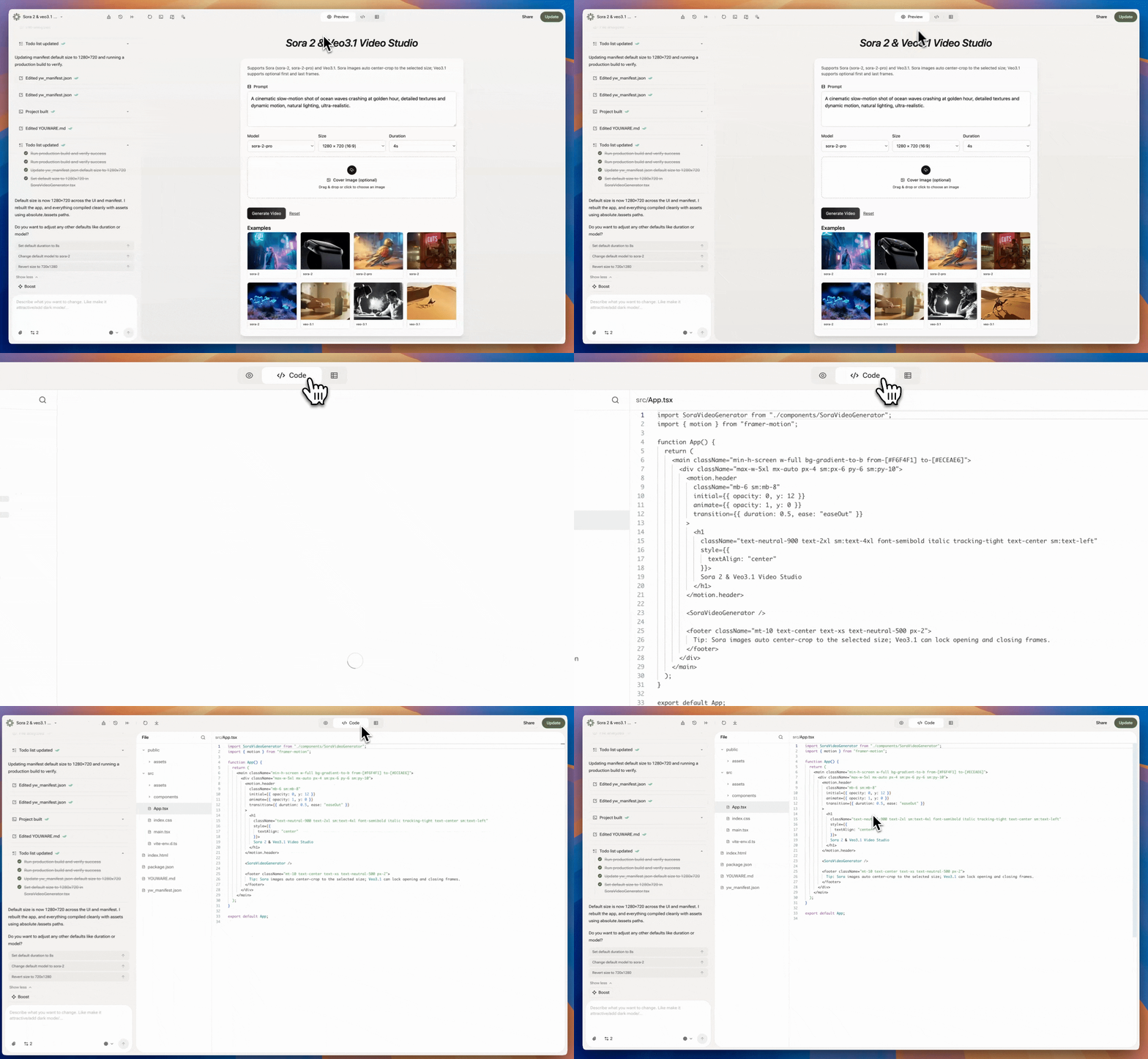
Access Your Code
Click Code Editor to browse your complete project structure and files. You can see:- HTML, CSS, JavaScript files
- Project file organization
- All source code
Edit Your Code
For Subscribers
Edit files directly and save instantly. Updates appear in your preview in real-time.
For Free Users
View and browse your project code. Upgrade to edit.
What You Can Do
View Code
Browse file structure and read source code (all users)
Edit Code
Edit and save changes instantly (subscribers only)
No External Tools
Make all changes directly in YouWare
Real-Time Updates
Changes apply instantly to your project preview
Frequently Asked Questions
Can I view code as a free user?
Can I view code as a free user?
Yes. All users can browse and view their project code in Code Editor. Only subscribers can edit and save changes.
Do my code edits save automatically?
Do my code edits save automatically?
Yes. When you edit code as a subscriber, changes save instantly. You’ll see updates in the preview immediately.
Can I download code from Code Editor?
Can I download code from Code Editor?
No. Code Editor lets you view and edit in the workspace. To download your complete project code, use the download feature in your project settings (requires subscription).
What file types can I view in Code Editor?
What file types can I view in Code Editor?
You can view and edit any file in your project: HTML, CSS, JavaScript, JSON, and other text-based formats.
If I edit code in Code Editor, does it affect my AI edits?
If I edit code in Code Editor, does it affect my AI edits?
Yes. Your manual code edits are part of your project. If you ask the AI to make changes afterward, it takes your edits into account. You can mix manual and AI editing freely.
Can I undo code changes in Code Editor?
Can I undo code changes in Code Editor?
You can use browser undo (Ctrl+Z or Cmd+Z) while editing. For larger undos, you may need to use your version control if connected to GitHub.
Is there syntax highlighting in Code Editor?
Is there syntax highlighting in Code Editor?
Yes. Code Editor includes syntax highlighting for all common web languages to make code easier to read.
Can I search or find text in Code Editor?
Can I search or find text in Code Editor?
Yes. Use your browser’s find function (Ctrl+F or Cmd+F) to search within the Code Editor.