> ## Documentation Index
> Fetch the complete documentation index at: https://docs.youware.com/llms.txt
> Use this file to discover all available pages before exploring further.
# Creator Studio
> Track project performance, earnings, and earnings withdrawals. Monitor your Creator Studio dashboard for revenue insights.
View your project performance, earnings, and revenue data in one place. Track views, credits spent by others on your projects, and manage withdrawals.
## Access Creator Studio
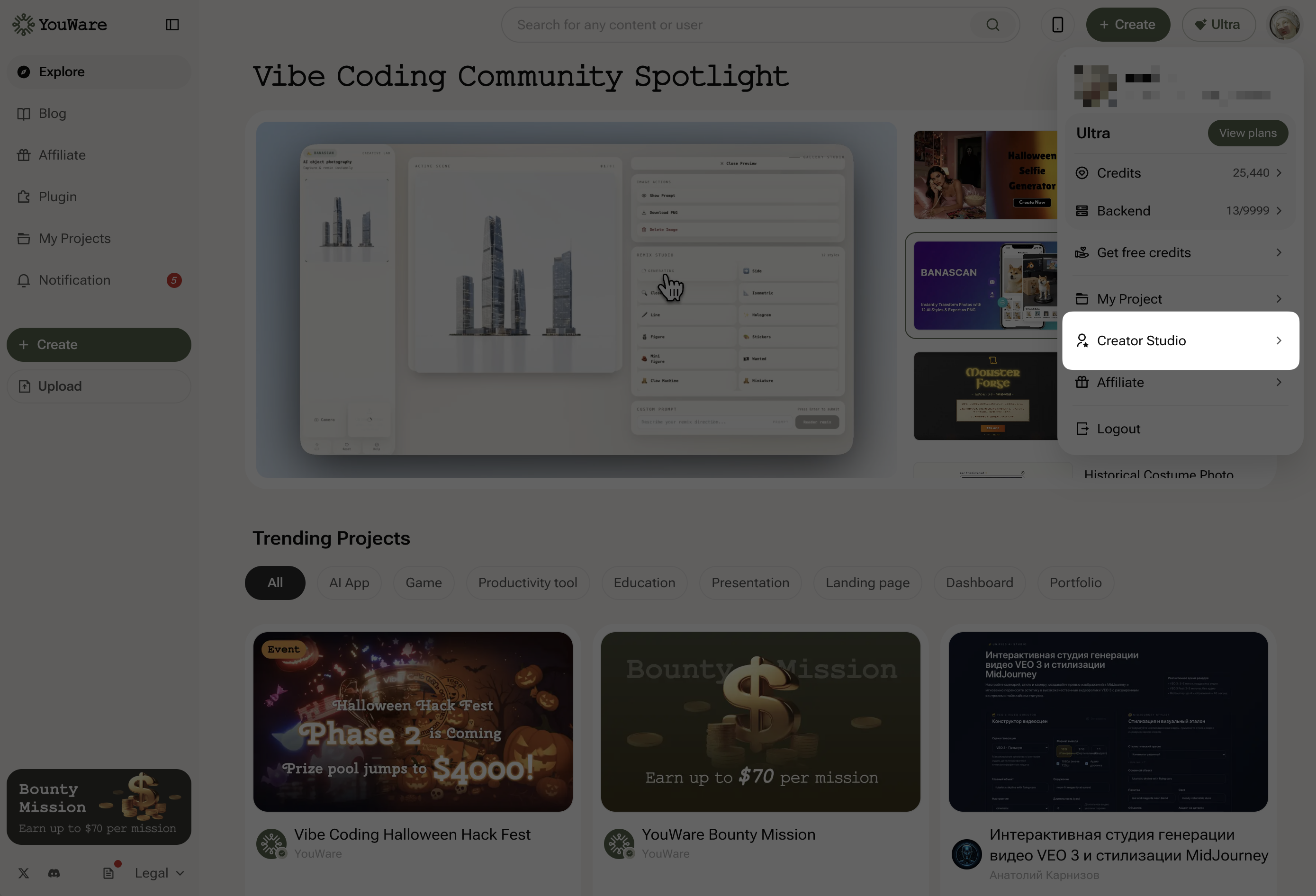
Click your avatar in the upper right corner → select **Creator Studio**
Creator Studio has two sections:
* **Dashboard** — project performance and metrics
* **Monetization** — earnings and withdrawal management
## Dashboard
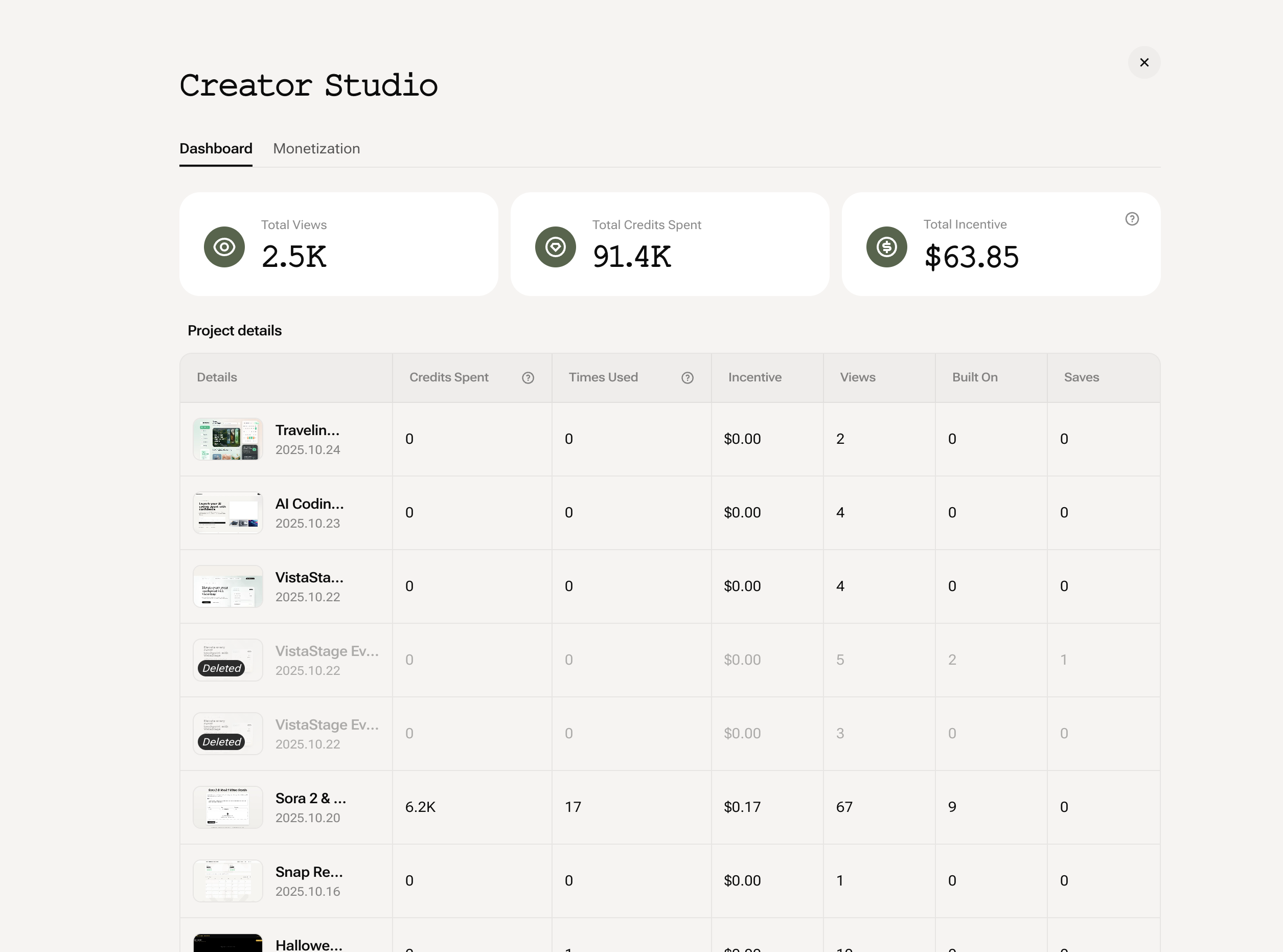
 View all your projects' performance data. Track how many people use your projects and how much credit they consume.
### Key Metrics
Total views across all your projects
Total Credits consumed by others using your projects
### Project Details
Each project shows:
* **Project name & publication date**
* **Credits Spent** — total Credits consumed
* **Times Used** — how many times invoked
* **Views** — number of visits
* **Built On / Saves** — times remixed or saved
View all your projects' performance data. Track how many people use your projects and how much credit they consume.
### Key Metrics
Total views across all your projects
Total Credits consumed by others using your projects
### Project Details
Each project shows:
* **Project name & publication date**
* **Credits Spent** — total Credits consumed
* **Times Used** — how many times invoked
* **Views** — number of visits
* **Built On / Saves** — times remixed or saved
 ## Monetization
Manage your earnings and withdrawals. View balance, transaction history, and request payouts.
## Monetization
Manage your earnings and withdrawals. View balance, transaction history, and request payouts.
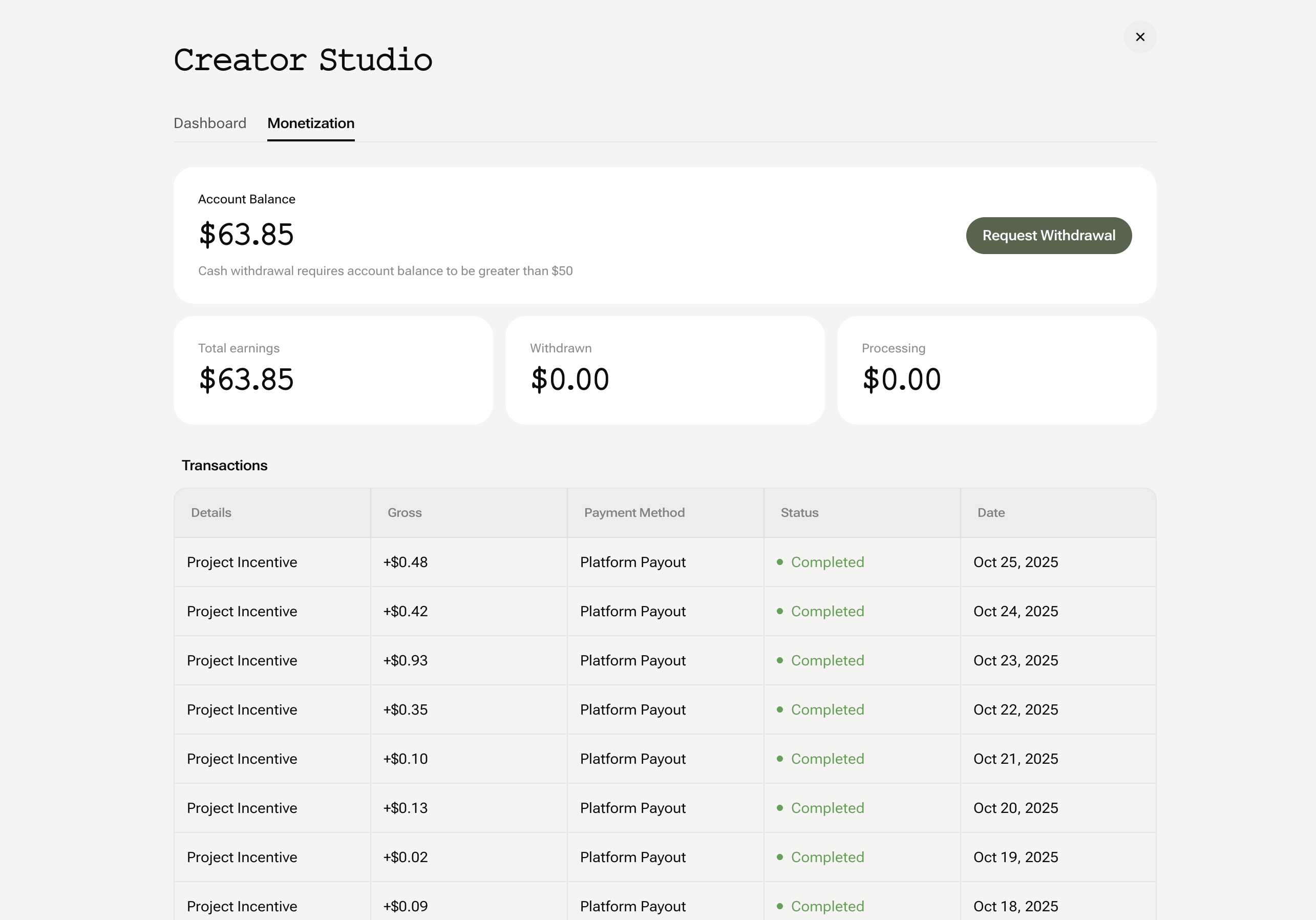 ### Account Overview
* **Account Balance**: Your current balance
* **Total Earnings**: Cumulative earnings
* **Withdrawn / Processing**: Withdrawal history
* **Request Withdrawal**: Initiate a payout (minimum \$50 USD)
### Transaction History
View all transactions with details: source, amount, payment method, status, and date. Updated daily.
## Frequently Asked Questions
Withdrawal timing depends on your payment method. Check your transaction history for status updates.
When someone else uses your project (generates with your project, remixes it, or runs any AI feature in it), that's when Credits are consumed.
Withdrawal methods depend on your region and payment provider integration. Check your account settings for available options.
No maximum. You can withdraw your entire balance as long as it's at least \$50 USD.
### Account Overview
* **Account Balance**: Your current balance
* **Total Earnings**: Cumulative earnings
* **Withdrawn / Processing**: Withdrawal history
* **Request Withdrawal**: Initiate a payout (minimum \$50 USD)
### Transaction History
View all transactions with details: source, amount, payment method, status, and date. Updated daily.
## Frequently Asked Questions
Withdrawal timing depends on your payment method. Check your transaction history for status updates.
When someone else uses your project (generates with your project, remixes it, or runs any AI feature in it), that's when Credits are consumed.
Withdrawal methods depend on your region and payment provider integration. Check your account settings for available options.
No maximum. You can withdraw your entire balance as long as it's at least \$50 USD.